Send Money to Another Cardtonic User
Send money from your Cardtonic wallet directly to another Cardtonic user. No account number or bank details needed.
Just Gadgets
Buy affordable gadgets from the comfort of your favourite app.

Virtual Dollar Card
Shop online, pay for services, or make international purchases.

Sell Gift Cards
Exchange unused gift cards for cash at amazing rates.

Bill Payment
Buy airtime, data, and pay utilities in 100+ countries.

Buy Gift Cards
Buy over 14,000+ local and international gift cards.

Virtual Bank Account
Open a Naira bank account for easy transactions.

Universal eSIM
Buy local and international eSIM with local payment methods.

Developer API
Integrate gift card services into your platform.

Blog
Get the latest news, articles, and updates from Cardtonic.

Rate Calculator
Check how much you get for your gift cards.

Upskill
MacBooks giveaway contest for tech enthusiasts.

#CTGivesBack
Learn about our community give-back initiatives.

Get In Touch
Reach out to us or follow us on social media.
Send money from your Cardtonic wallet directly to another Cardtonic user. No account number or bank details needed.
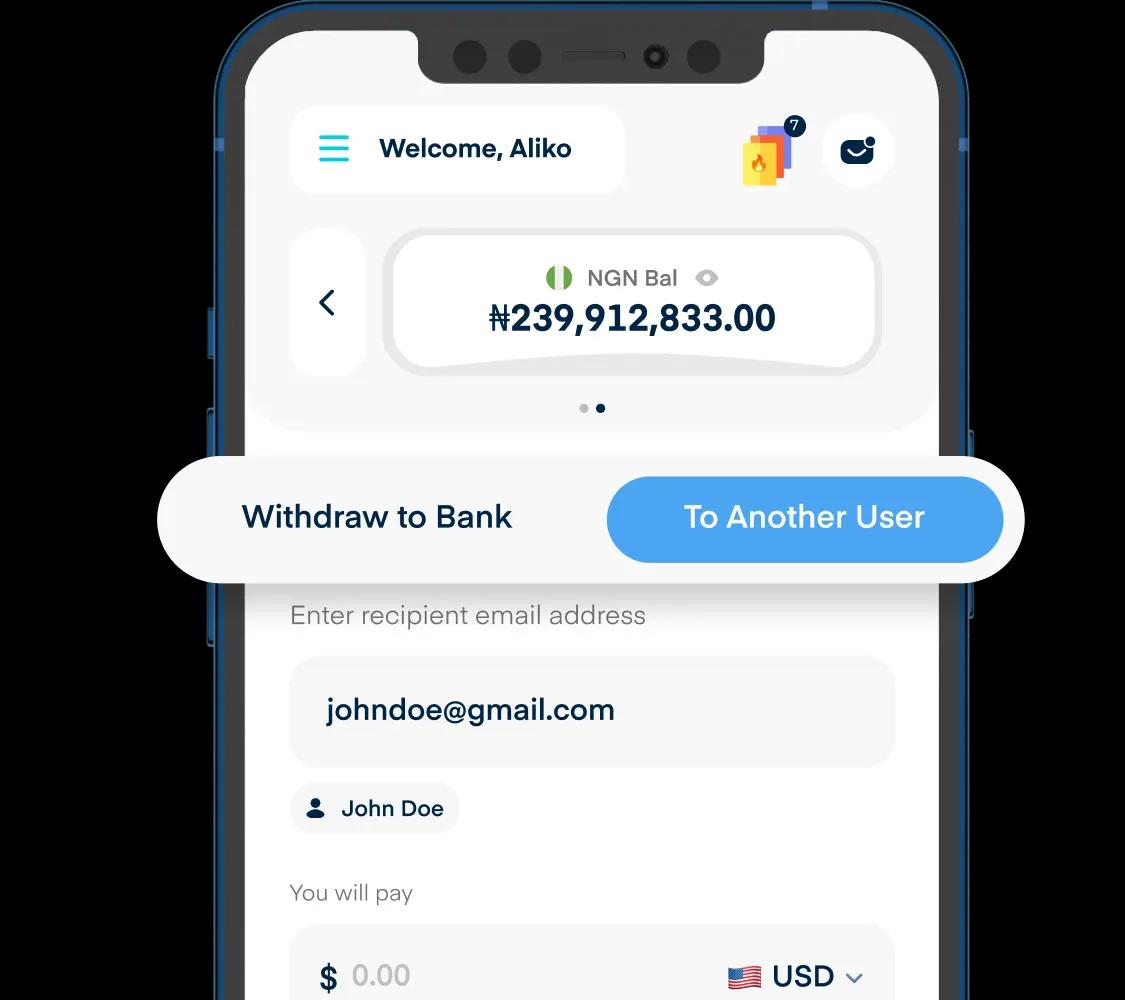
Forget long strings of digits and bank names. All you need is your recipient's Cardtonic username and the money finds them.
Send from your Naira, Cedis, Shillings, Rand or USD wallet. Whichever balance suits, that is the one you send from.
Your recipient gets the money in their Cardtonic wallet, ready to spend, convert or withdraw. No withdrawal step in between.
Nigeria, Ghana, Kenya, South Africa. If your recipient is on Cardtonic, borders do not come into it.
Transfers work between Cardtonic accounts. You cannot send to a bank account, a mobile money wallet or someone who is not on Cardtonic.
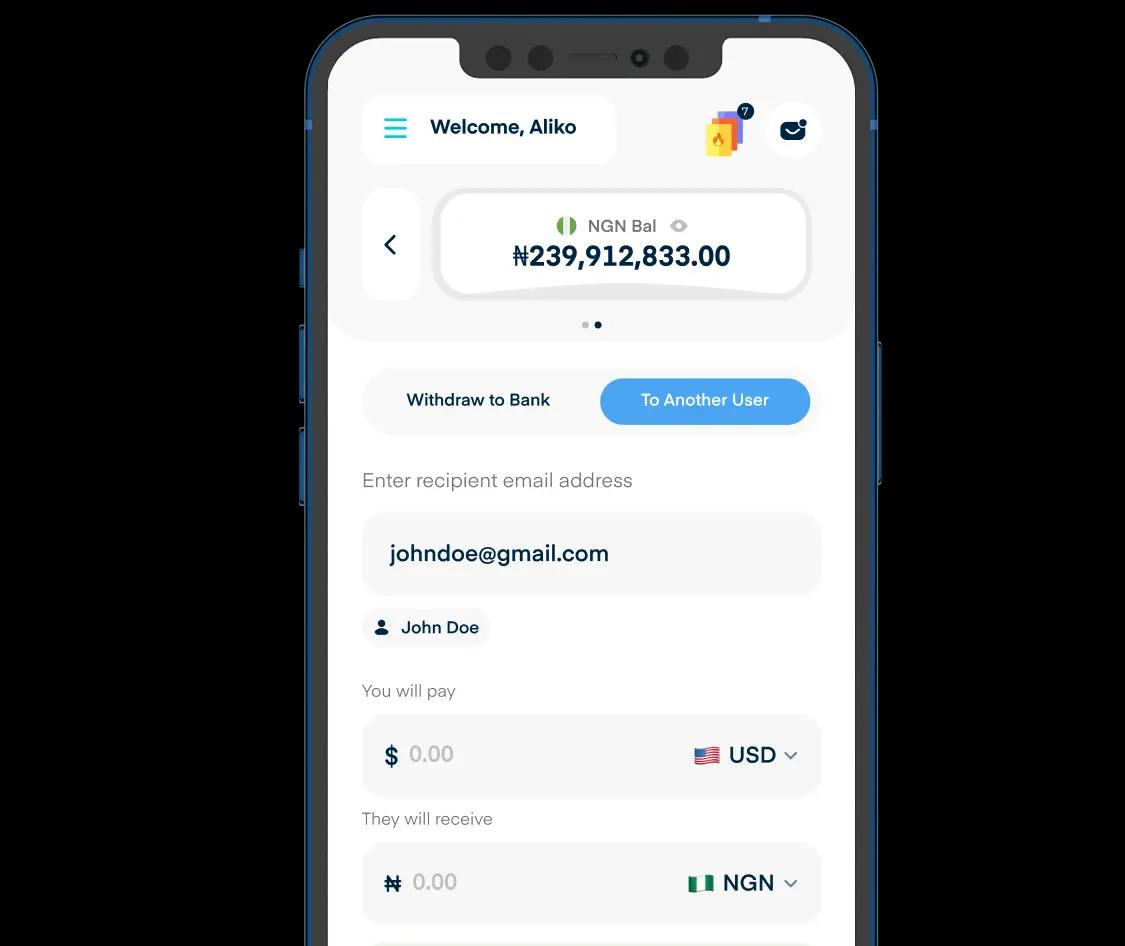
You can send money to any Cardtonic user, wherever they are. Select the wallet you’re sending from, select the wallet you want the recipient to receive in, and enter the amount. If they don’t have that wallet yet, we’ll create it automatically, and the money lands directly in their wallet, ready to use.
You only need the recipient's Cardtonic username. Enter the username, input the amount you want to send, review the transaction, and confirm the transfer.
No. In-App Transfers are only available between Cardtonic users. The recipient will need to create a Cardtonic account before you can send them money.
No. In-App Transfers send money directly to another Cardtonic wallet. To send money to a bank account or move funds outside Cardtonic, use one of the available withdrawal options.
You can send money from any eligible wallet you have, including Naira, Cedis, Shillings, Rand, and USD.
No problem. The recipient will receive the money in the currency you send. If they don't already have the corresponding wallet, Cardtonic will automatically create it for them.
Yes. You can send money from your wallet without converting it first. Cardtonic handles the currency conversion for you, so the recipient receives the funds in the currency you choose to send.
Yes. The recipient receives the exact amount you send in the selected currency, with no transfer fees.
Yes. Other Cardtonic users can send money directly to your eligible Cardtonic wallets using your username.
In-App Transfers are instant. Once the transfer is successfully completed, the funds are available in the recipient's corresponding wallet.
Transfers are processed immediately and generally cannot be cancelled once completed. Always confirm the recipient's details and amount before confirming the transfer.
Always verify the recipient's account details before confirming your transfer. If you send money to the wrong user, contact Cardtonic Support as soon as possible for assistance.